

 GitHub
Get Hedhog updates in your inbox
New releases, fresh recipes, and breaking changes — no spam.
AI Providers
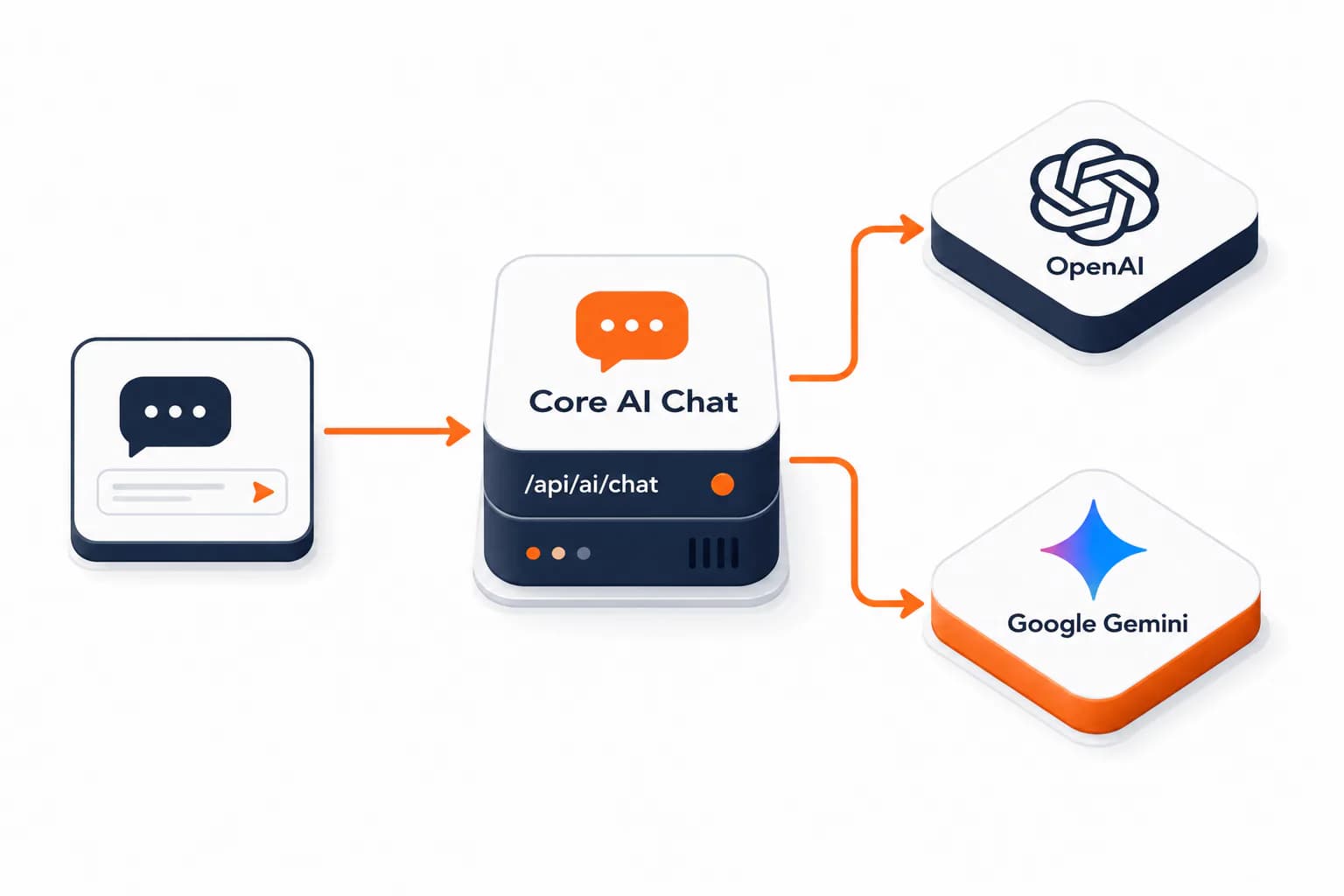
Hedhog's built-in AI chat (AiService, POST /ai/chat) talks directly to OpenAI, Google Gemini, and DeepSeek — these are the providers the core module supports today.
Status: ✅ Implemented — OpenAI, Gemini, and DeepSeek all work through
/ai/chat.
Quick Setup
- Create an Integration Profile (type AI, provider
openai,gemini, ordeepseek) with anapi_keyat Settings → Integration Profiles - Go to Settings → Configurations → General, find AI Configuration, and point
ai-openai-profile-id,ai-gemini-profile-id, and/orai-deepseek-profile-idat that profile - Call
POST /ai/chatwith{ message, provider }(providerdefaults toopenai) and confirm you get a real completion back
How It Works
- Create an Integration Profile of type AI, provider
openai,gemini, ordeepseek, with anapi_keyin its config - Go to Settings → Configurations → General, find the AI Configuration section, and set the matching field —
ai-openai-profile-id(OpenAI Profile),ai-gemini-profile-id(Gemini Profile), orai-deepseek-profile-id(DeepSeek Profile) — to that profile AiServicereads whichever profile is configured for the provider the caller requests (data.providerdefaults toopenai) and calls the corresponding API directly
If none of the profile settings (ai-openai-profile-id, ai-gemini-profile-id, ai-deepseek-profile-id) is set, the server logs a warning on boot ("No AI profiles configured") but still starts — calls to /ai/chat simply fail until you configure at least one.
Default Models
data.model is optional on POST /ai/chat — if you leave it out, AiService falls back to:
| Provider | Default model if model is left empty |
|---|---|
openai | gpt-4o-mini |
gemini | gemini-1.5-flash |
deepseek | deepseek-chat |
Supported Providers
| Provider | integration_provider slug | Model family |
|---|---|---|
| OpenAI | openai | GPT-4o, GPT-4, GPT-3.5 Turbo |
| Google Gemini | gemini | Gemini 2.0 Flash, Gemini 1.5 Pro/Flash |
| DeepSeek | deepseek | DeepSeek V3 (deepseek-chat), DeepSeek R1 (deepseek-reasoner) |
OpenAI
Console: platform.openai.com
- Go to API keys and create a new secret key
- Optionally create a project and restrict the key to it, and set usage limits under Settings → Limits so a bug somewhere can't run away with your budget
| Config field | Description |
|---|---|
api_key | OpenAI API key (sk-…) |
organization | Optional — organization ID, only needed for multi-org accounts |
Google Gemini
Console: aistudio.google.com or console.cloud.google.com
- In AI Studio, click Get API key for the fastest path, or in GCP enable the Generative Language API and create credentials if you need the key tied to a billing project
| Config field | Description |
|---|---|
api_key | Gemini API key |
DeepSeek
Console: platform.deepseek.com
- Under API keys, create a new key (
sk-…) and add credit under Top up — there is no free tier - The API is OpenAI-compatible, so Hedhog reuses the same request format and only swaps the base URL (
https://api.deepseek.com)
| Config field | Description |
|---|---|
api_key | DeepSeek API key (sk-…) |
model | Optional — deepseek-chat (default) or deepseek-reasoner |
timeout_ms | Optional — call timeout (defaults to 120000) |
DeepSeek models have no vision: an image attachment goes into the prompt as a text placeholder, not as an image.
Cost Considerations
Providers charge per token (input + output) directly to your account — Hedhog adds no markup. Set a model per use case rather than defaulting everything to the most expensive option:
- High quality / complex tasks:
gpt-4o,gemini-1.5-pro - Balanced / default:
gpt-4o-mini,gemini-1.5-flash - High volume / simple tasks:
gpt-3.5-turbo,gemini-2.0-flash,deepseek-chat
Verify It Worked
- Call
/ai/chatwithprovider: "openai"and confirm you get a real completion back, not a400 - Call it again with
provider: "gemini"andprovider: "deepseek"and confirm the same
Troubleshooting
| Symptom | Likely cause |
|---|---|
| "No AI profiles configured" warning on boot | None of the ai-*-profile-id settings is set — harmless until something calls /ai/chat |
400 from /ai/chat | The profile for the requested provider isn't set, doesn't exist, or has no api_key in its config |
| Response uses a different model than expected | You left model empty — Hedhog applied the per-provider default instead (see table above) |