

 GitHub
Get Hedhog updates in your inbox
New releases, fresh recipes, and breaking changes — no spam.
Hedhog supports two WhatsApp paths:
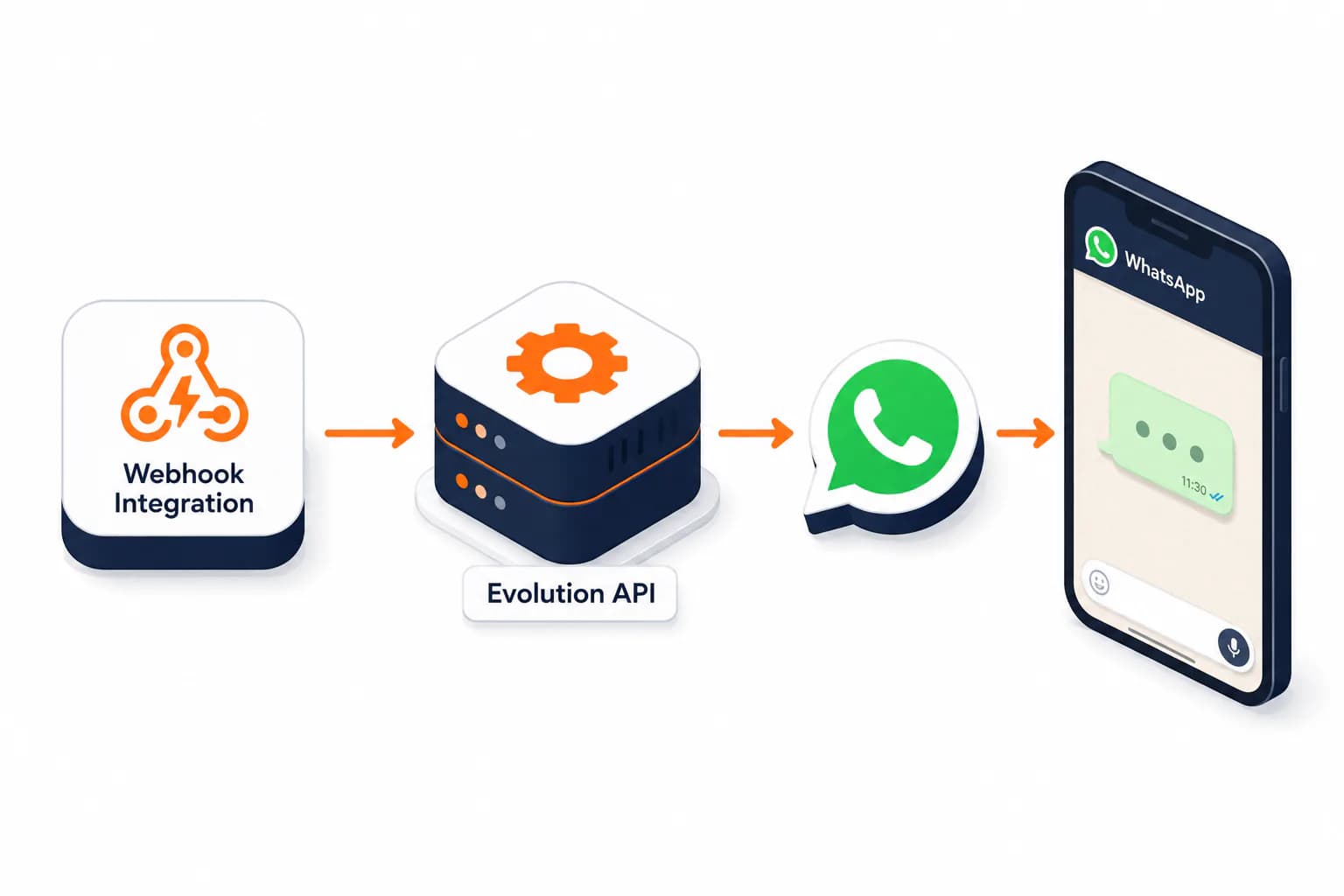
whatsapp-official— Meta's official WhatsApp Business Cloud API. It receives messages through an HMAC-signed webhook and manages the WABA's phone numbers. Sending is not implemented yet.evolution-api— a self-hosted Evolution API instance, driven by a Webhook Integration action. It sends plain text, but it's an unofficial session tied to a phone.
Status: ⚠️ Partial —
whatsapp-officialreceives messages (sending pending); Evolution API sends text through the Webhook Integration action.
Looking to open a support ticket from a WhatsApp message and reply from the same number? That is the SAC module, and both providers work there: see Omnichannel support.
Meta's official API (whatsapp-official)
Setup
- In Settings → Integrations, create a
whatsappprofile with the WhatsApp Official API provider and fill it in from the Meta dashboard: Meta App ID, Meta App Secret, WABA ID, Business ID, access token (permanent System User token), verify token (your choice), and the Graph API version (e.g.v21.0). Save the profile. - Reopen the saved profile: the Meta Webhook section shows the Callback URL (with a copy button) and the step-by-step. Hit Test to have Hedhog validate the token against the Graph API.
- Import the WABA's numbers:
POST /whatsapp/phone-numbers/sync/{integrationProfileId}— this pullsphone_number_id, quality rating and verification status straight from Meta. - Register the webhook in the Meta dashboard with the values below.
What to copy into the Meta dashboard
Both appear in the profile's Meta Webhook section, ready to copy:
| Meta field | Value |
|---|---|
| Callback URL | the URL shown on the profile (https://<api-base>/webhook/<uuid>) |
| Verify token | the value you set in the profile's verify_token field |
After saving, subscribe to the messages field on the WhatsApp product webhook.
The URL uses the core webhook: a non-enumerable, rotatable UUID identifies the webhook, not the profile id. Meta calls that URL; Hedhog delegates to the Meta protocol adapter, which does the handshake and validates the HMAC. The webhook also shows up under Settings → Integrations and Webhooks, with logs.
Security
- Every POST is validated with HMAC SHA-256 (
X-Hub-Signature-256) over the raw body, using the Meta App Secret. Invalid signature →403, nothing queued. - App Secret, access token and verify token are encrypted at rest and never returned by the API (the UI shows
********). - Signature validation can only be disabled in development (
WHATSAPP_WEBHOOK_SKIP_SIGNATURE=true); in production the flag is ignored.
Multiple numbers
A WABA can hold several numbers, each with its own state. Hedhog stores each number separately, lets you mark one default per profile (enforced in the database) and enable/disable them individually. The recipient number of each webhook is resolved automatically from metadata.phone_number_id.
Evolution API (sending text)
Quick Setup
- Self-host Evolution API and create a WhatsApp instance (commands below)
- Go to Settings → Integrations and Webhooks, open (or create) a Webhook Integration, and add a WhatsApp (Evolution API) action
- Fill in the
whatsapp_*fields directly on the action — no Integration Profile needed - Send a test message and confirm it's actually delivered to the linked phone, not just an HTTP
200
Self-Hosting Evolution API
docker run -d \
  --name evolution-api \
  -p 8080:8080 \
  -e AUTHENTICATION_API_KEY=your-api-key \
  atendai/evolution-api:latest
Replace your-api-key with a secure random string — this becomes the apikey header Hedhog sends on every request. The management dashboard is available at http://localhost:8080.
Create a WhatsApp session ("instance") before sending anything:
curl -X POST http://localhost:8080/instance/create \
  -H "apikey: your-api-key" \
  -H "Content-Type: application/json" \
  -d '{"instanceName": "my-instance", "qrcode": true}'
Scan the returned QR code from a phone with WhatsApp → Linked Devices → Link a Device. The session stays active as long as that phone has internet access — losing the phone's connection drops the session and messages will start failing until you re-link.
Webhook Integration Action
- Go to Settings → Integrations and Webhooks, open (or create) a Webhook Integration
- Add an action of type WhatsApp (Evolution API) and fill in, directly on the action:
| Action field | Description |
|---|---|
whatsapp_base_url | Evolution API base URL |
whatsapp_token | Evolution API key (sent as the apikey header) |
whatsapp_instance | The instance name created above — Hedhog builds the request URL as {base_url}/message/sendText/{instance} |
whatsapp_target_type | phone or group |
whatsapp_target | Phone number or group ID — supports template placeholders resolved from the incoming webhook payload |
whatsapp_template | Message text — also supports template placeholders |
This action only sends plain text via sendText — it doesn't support media, buttons, or lists.
Limitations
- WhatsApp Business Policy restricts bulk/unsolicited messaging to opted-in contacts — sending to people who never consented risks the number being banned by WhatsApp, not just by Evolution API
- Evolution API sessions tied to a personal phone number are inherently fragile: a dead battery, app logout, or lost connectivity on that phone breaks every integration relying on it
whatsapp-officialreceives messages but does not send them yet — to send today, use the Evolution API action- Inbound media isn't downloaded yet: Hedhog stores the reference Meta returns (
id,mime_type), not the binary
Verify It Worked
Official API: in the Meta dashboard, the webhook's Verify and save button should succeed (Hedhog echoes hub.challenge). Then send a real message to the production number and confirm it lands in the whatsapp_conversation/whatsapp_message tables — the webhook's 200 alone isn't enough, since processing happens on the queue.
Evolution API: trigger the webhook action once and confirm the message actually lands on the linked phone — not just that the HTTP call returned 200. Check Evolution API's own dashboard to confirm the instance still shows as connected.
Troubleshooting
| Symptom | Likely cause |
|---|---|
| Meta: "The callback URL or verify token couldn't be validated" | The profile is inactive, the verify_token in Hedhog differs from the one typed into Meta, or the URL has the wrong integrationProfileId |
Webhook returns 403 on every POST | The profile's app_secret isn't the one from the Meta app sending the events — the HMAC doesn't match |
Webhook returns 200 but nothing shows up in conversations | The event's phone_number_id isn't registered: run the number sync. Check whatsapp_event.error |
| Webhook action error "WhatsApp action is missing required configuration" | One of whatsapp_target, whatsapp_template, whatsapp_instance, whatsapp_base_url, whatsapp_token is blank on the action |
| Messages silently stop sending | The phone running Evolution API's session lost connection — re-link the device |
401/403 from Evolution API | whatsapp_token doesn't match Evolution API's AUTHENTICATION_API_KEY |