

 GitHub
Get Hedhog updates in your inbox
New releases, fresh recipes, and breaking changes — no spam.
Recipes
Recipes are how-to guides for connecting Hedhog to external services and customizing its behavior. They're written for someone who just installed Hedhog and needs to know exactly what to click, what to paste, and which URLs each provider actually asks for — not just a list of setting names.
Each recipe documents the real configuration keys used by the current codebase (verified against the source, not the idealized version), every URL/redirect a provider console will ask for, and what's genuinely implemented versus seeded-but-not-yet-built.
Recipes at a Glance
Looking for Queue Providers, Multi-Factor Auth, or Theming? Those ship with working defaults out of the box and don't require connecting an external service — they now live under Preferences.
Available Recipes
| Recipe | What it covers |
|---|---|
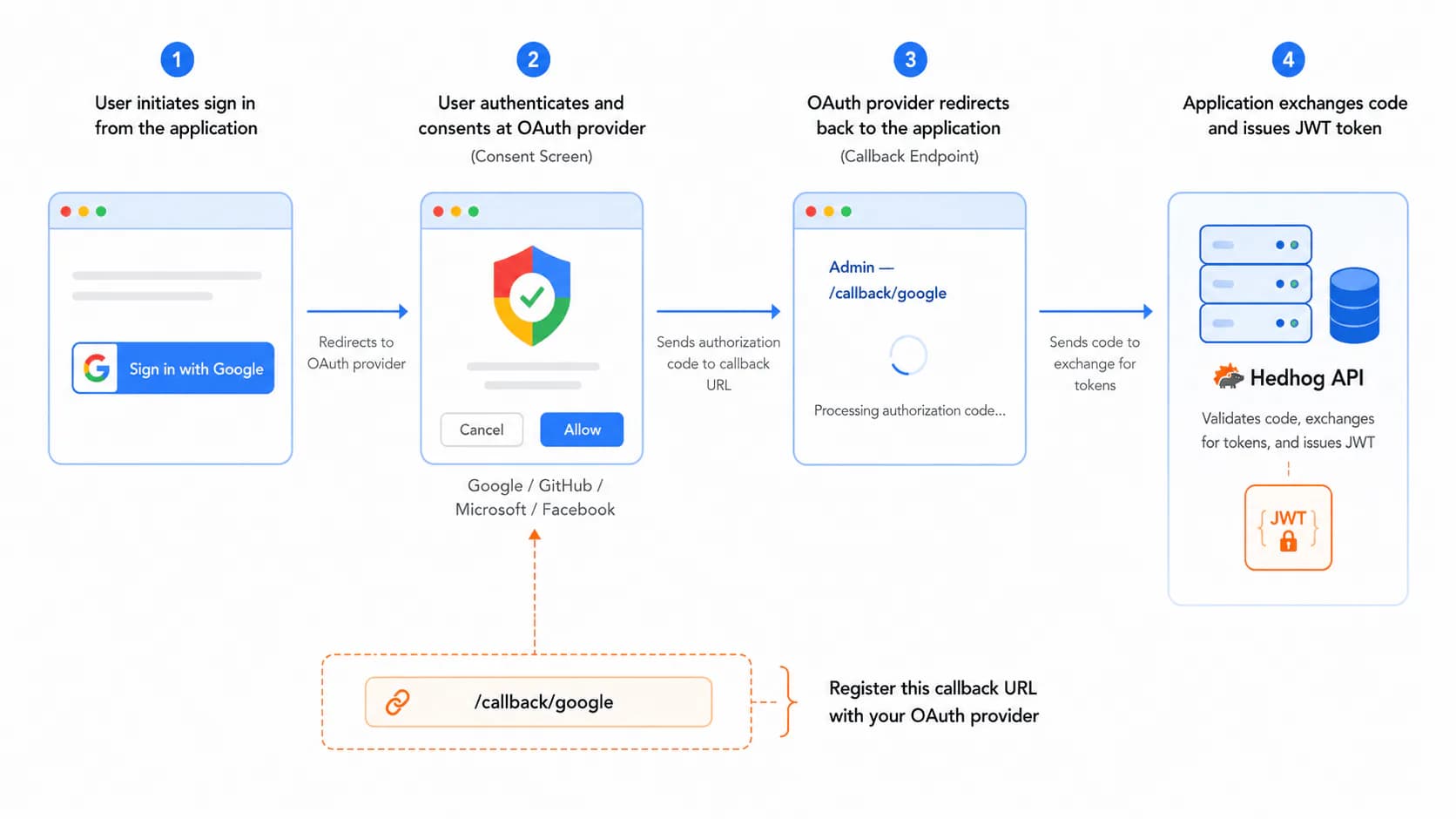
| OAuth / SSO | Social and enterprise login via Google, GitHub, Microsoft, Facebook, Entra ID — including the three callback URLs (login/register/connect) most providers actually need |
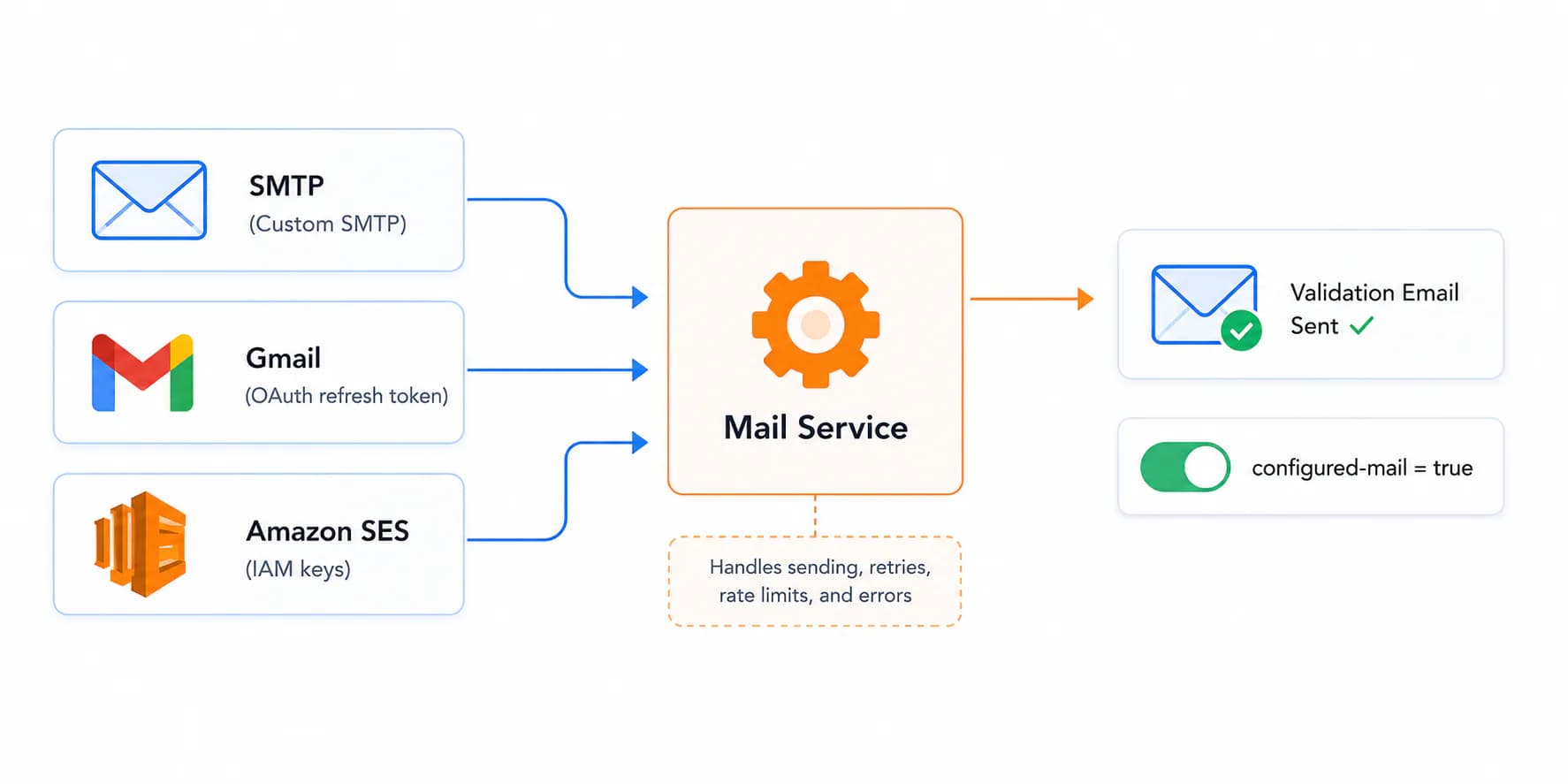
| Transactional email with SMTP, Gmail (OAuth refresh token), and Amazon SES | |
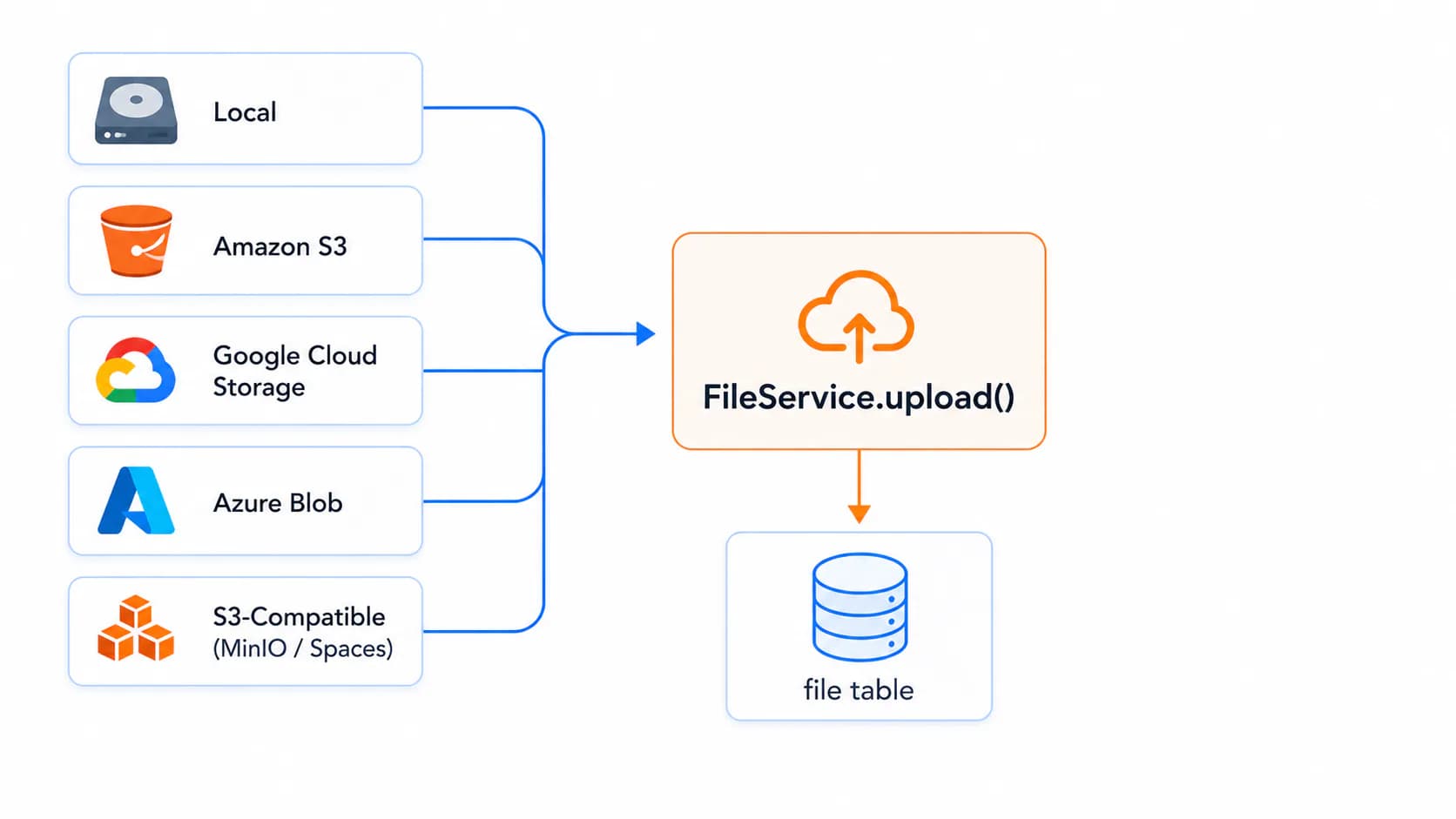
| File Storage | File and object storage with Local, S3, GCS, Azure Blob, and S3-compatible services (MinIO, Wasabi, DigitalOcean Spaces) |
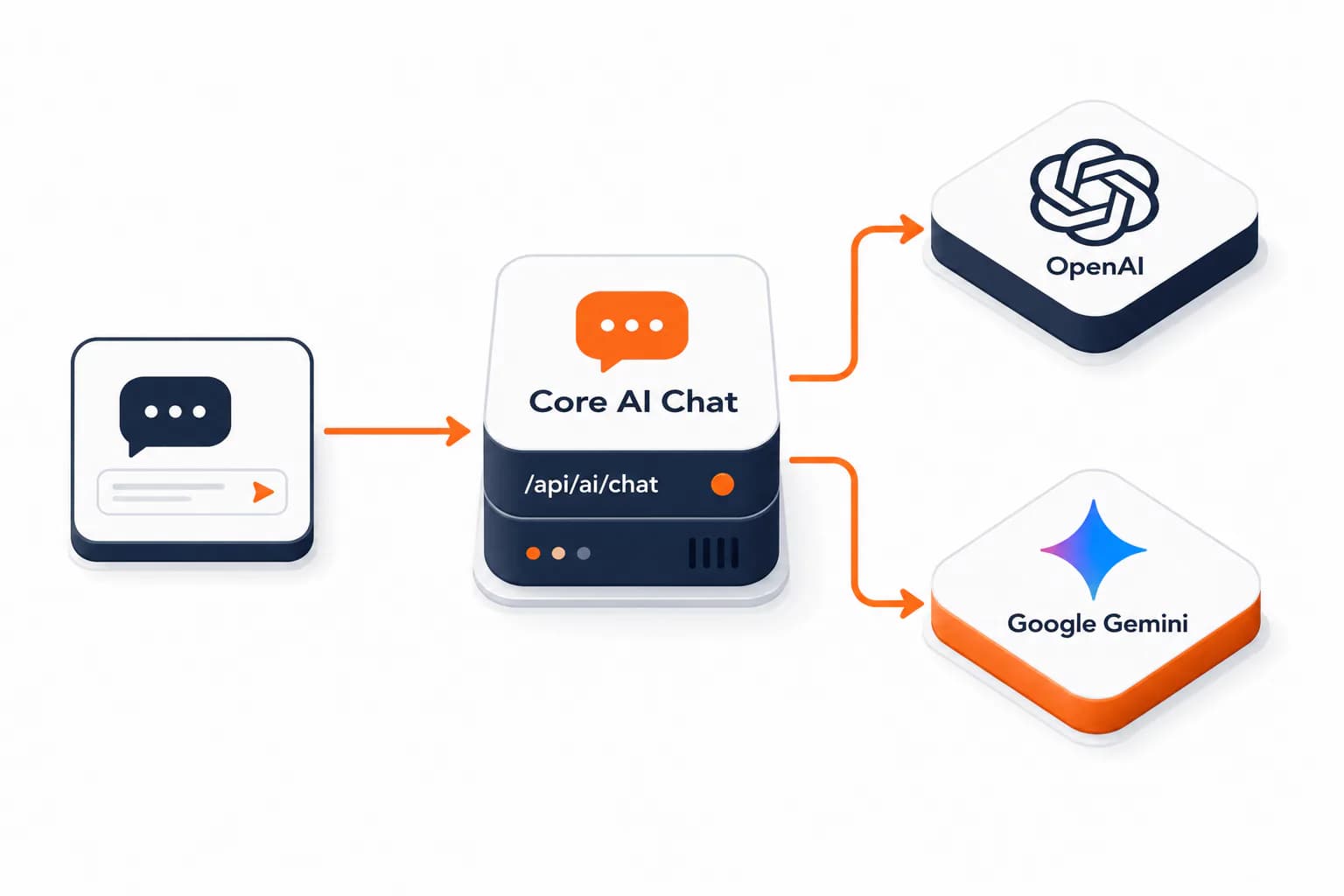
| AI Providers | LLM integration for the core chat assistant — OpenAI and Google Gemini |
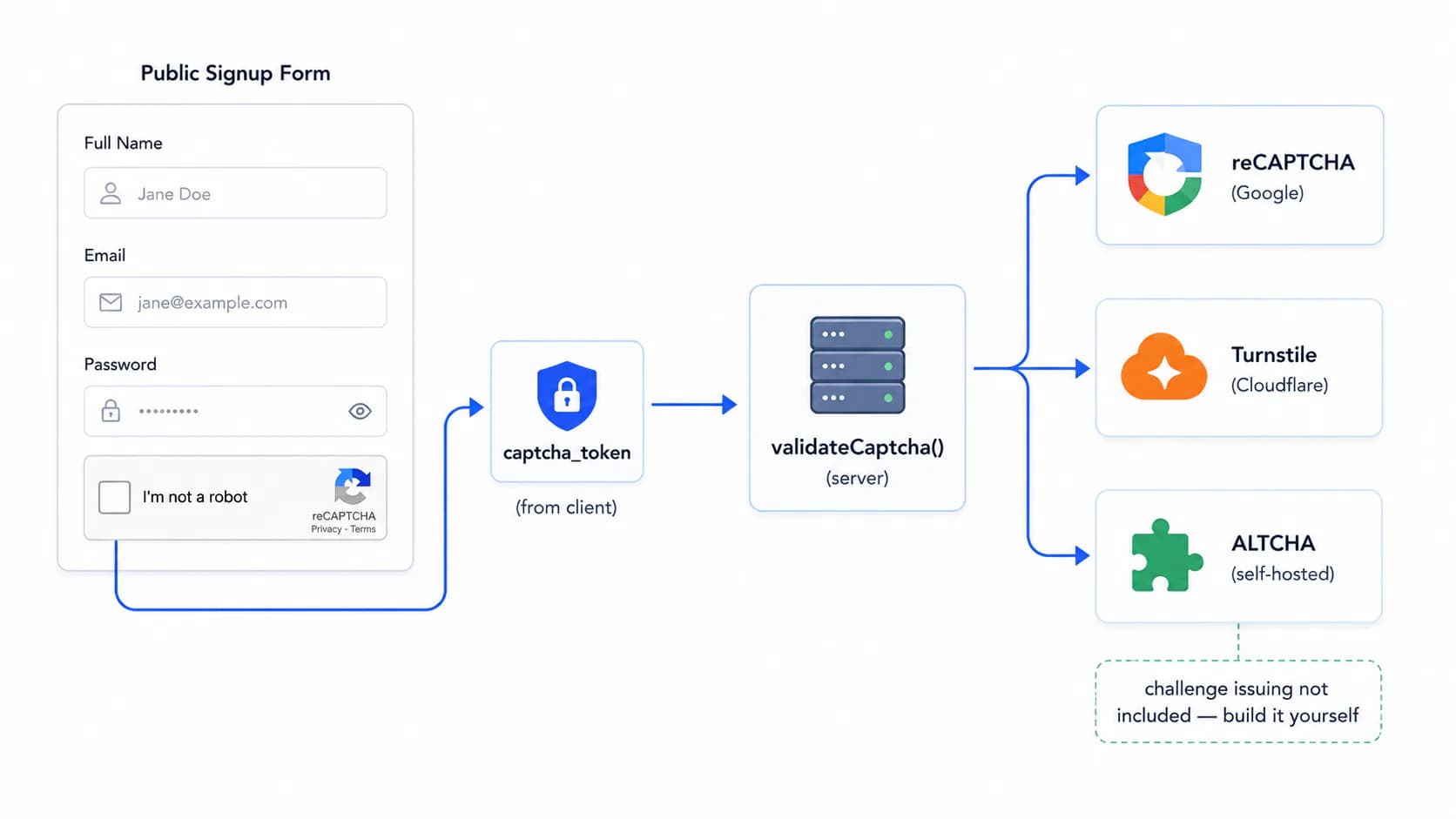
| CAPTCHA | Bot protection with reCAPTCHA, Cloudflare Turnstile, and ALTCHA — currently scoped to campaign public signup forms |
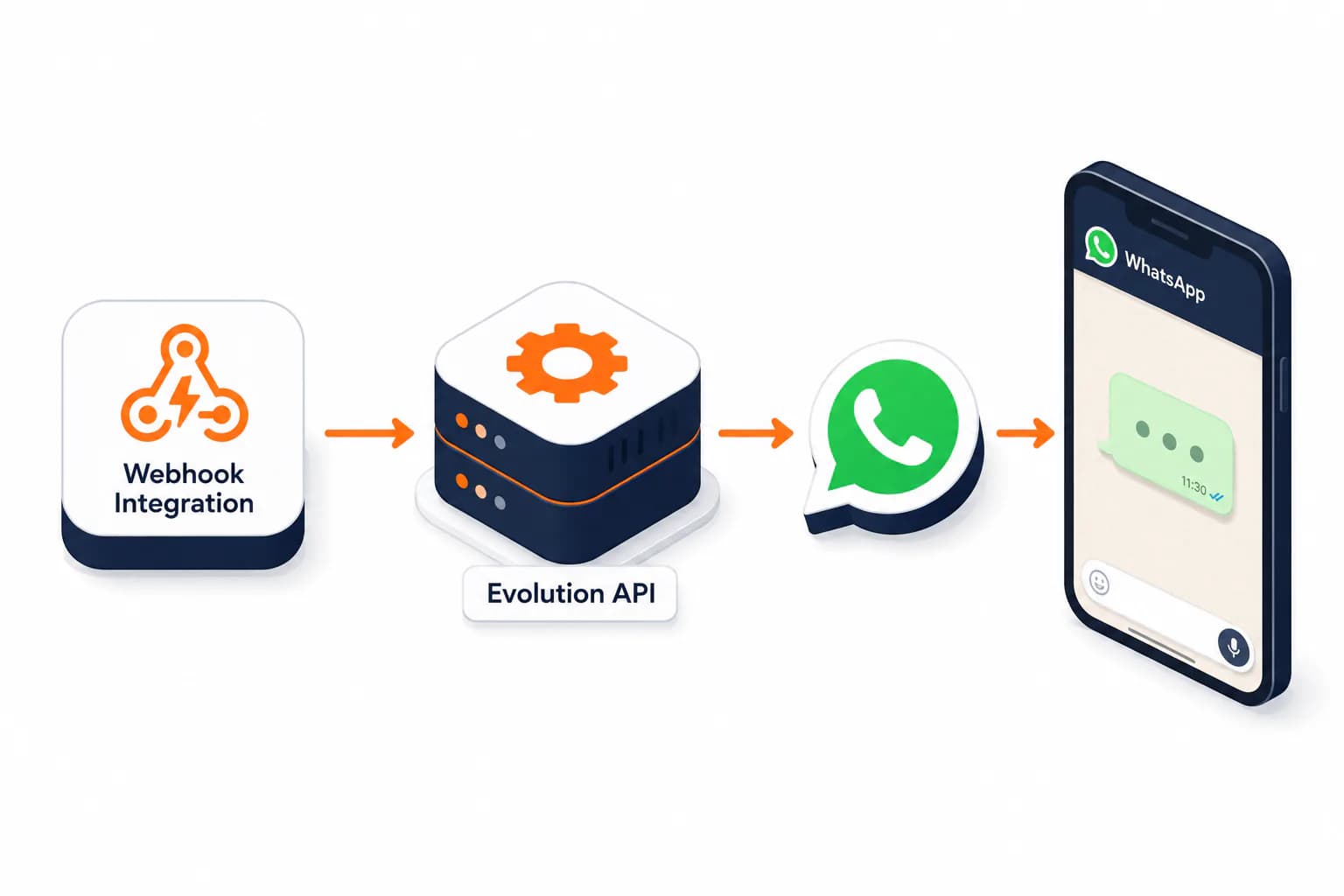
| WhatsApp messaging via a self-hosted Evolution API instance, through a Webhook Integration action | |
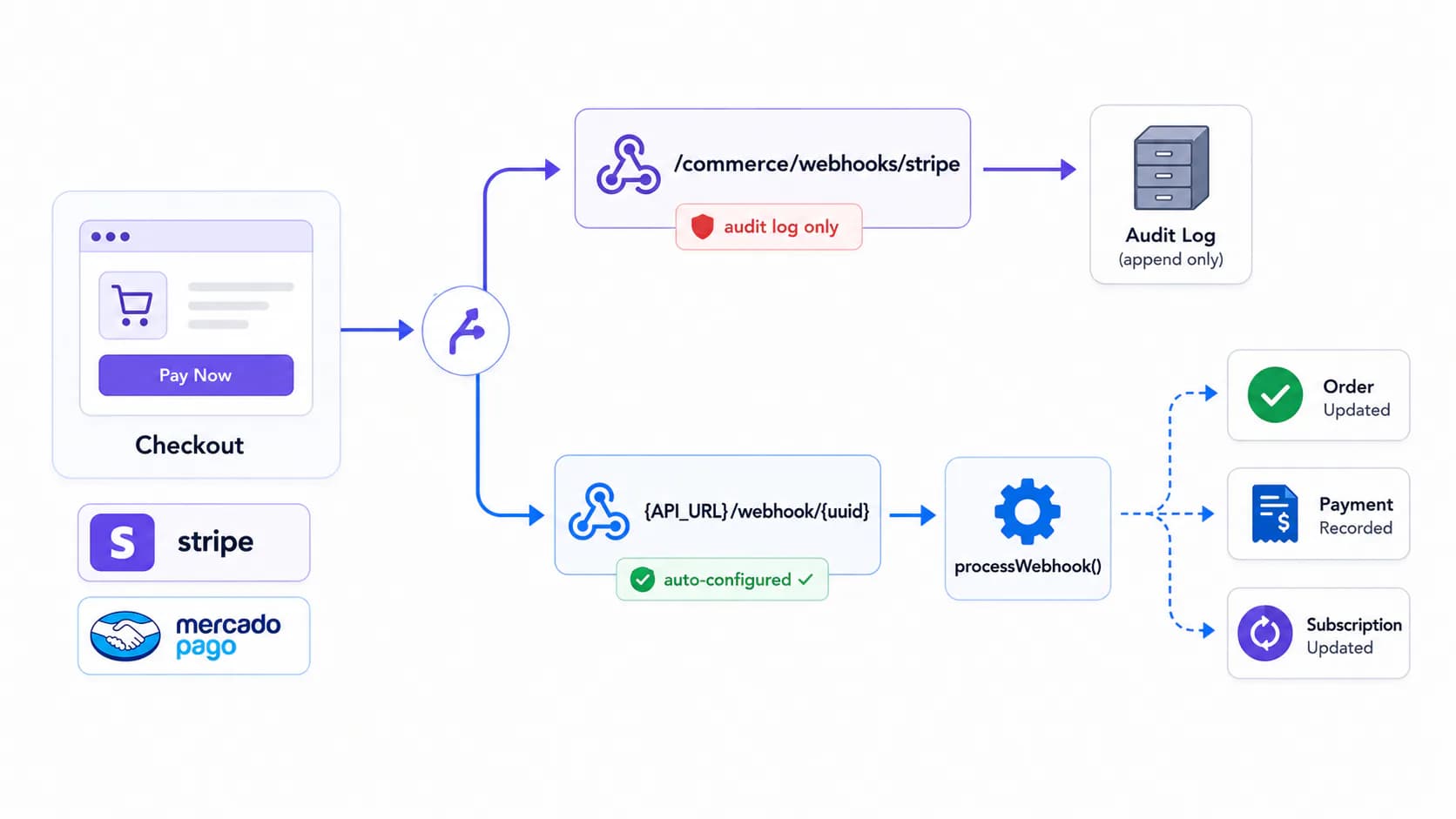
| Payments | Payment processing with Stripe and Mercado Pago, including the auto-configured webhook URL you actually need to register |
| Omnichannel support | E-mail and WhatsApp opening SAC tickets — IMAP mailboxes (no MX change), a reply domain carrying the protocol, Meta and Evolution webhooks, and AI reply suggestions |
Queue Providers, Multi-Factor Auth, and Theming moved to Preferences — they don't need to be configured to work, since they already ship with sensible defaults.
Where Each Setting Lives
Hedhog's settings UI doesn't always group things the way you'd guess from the recipe name — Email and AI hide inside "General," and a few recipes have no dedicated settings group at all. Check here before hunting through every tab:
| Recipe | Settings → Configurations group | Notes |
|---|---|---|
| OAuth / SSO | OAuth | One tab per provider |
| General → Mail Configuration | Not a separate "Mail" group | |
| AI Providers | General → AI Configuration | Not a separate "AI" group |
| File Storage | File Storage | |
| Payments | (none) | Configured via Commerce → Webhooks → Webhook Settings instead |
| CAPTCHA | (none) | Configured per campaign recipient list, not globally |
| (none) | Configured directly on a Webhook Integration action |
How Recipes Work
Most Hedhog integrations share the same lifecycle:
- Create an Integration Profile at Settings → Integration Profiles — pick a type (email, storage, ai, oauth, payment, captcha, whatsapp) and a provider, then fill in that provider's config fields
- Point a setting at it under Settings → Configurations — usually a slug like
mail-integration-profile-id,file-storage-profile-id, or a per-provider OAuth toggle - The relevant module reads that setting at request time and builds the right adapter from the profile's
configJSON — no code changes needed when switching providers later
A handful of features don't use Integration Profiles at all — they're plain settings or built-in tables that already work with sensible defaults. See Preferences.