

 GitHub
Get Hedhog updates in your inbox
New releases, fresh recipes, and breaking changes — no spam.
Preferences
Preferences are built-in behaviors that already work the moment Hedhog is installed — unlike Recipes, they don't require connecting an external service or creating an Integration Profile. Every setting documented here has a working default; you only need to open these pages if you want to change that default.
Preferences at a Glance
Available Preferences
| Preference | What it covers |
|---|---|
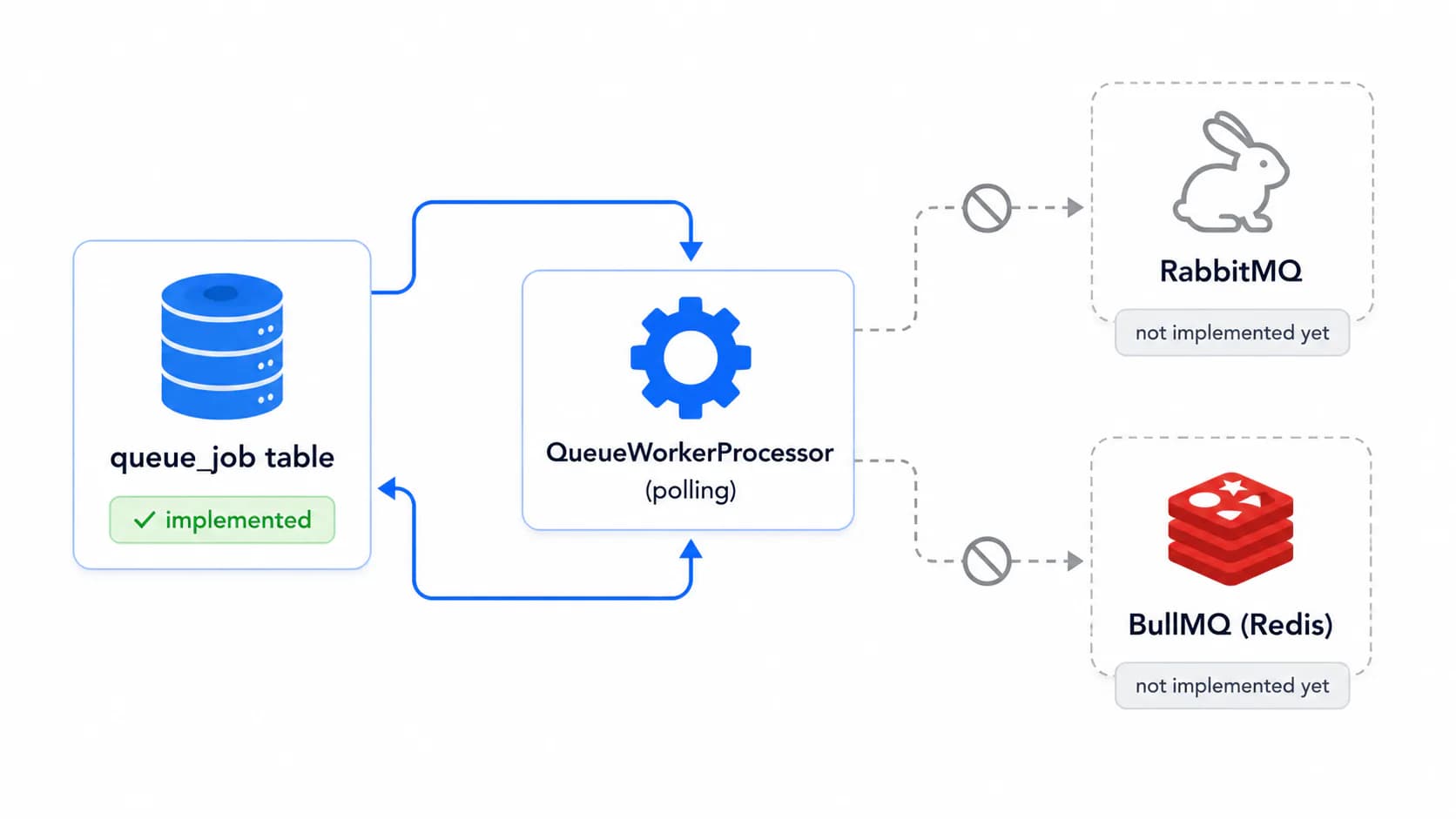
| Queue Providers | Background job processing — Database is fully implemented and is the default; RabbitMQ/BullMQ are reserved settings, not working providers yet |
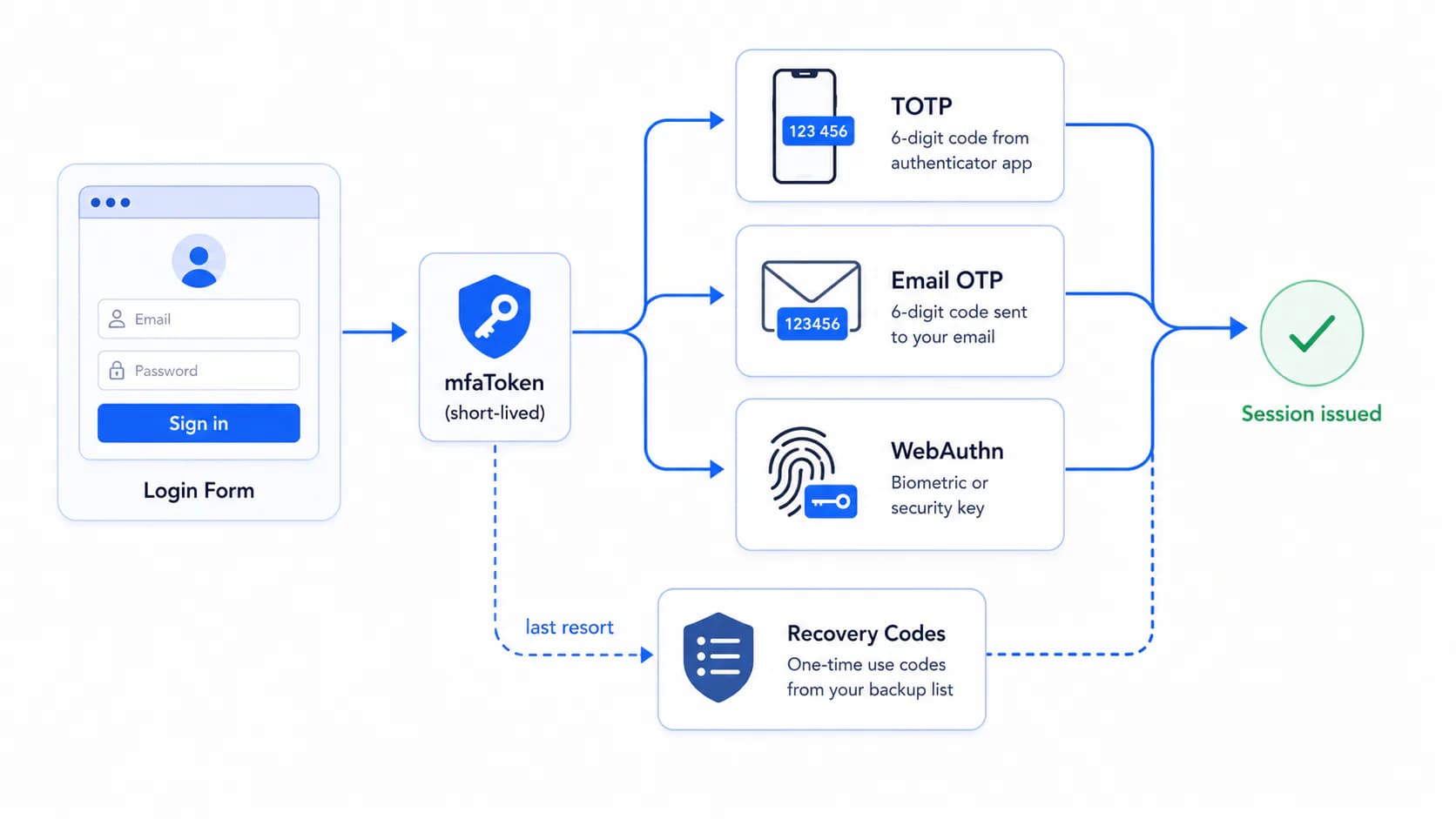
| Multi-Factor Auth | TOTP, email codes, WebAuthn, and recovery codes — opt-in per user by default, plus the login-challenge flow your frontend has to handle |
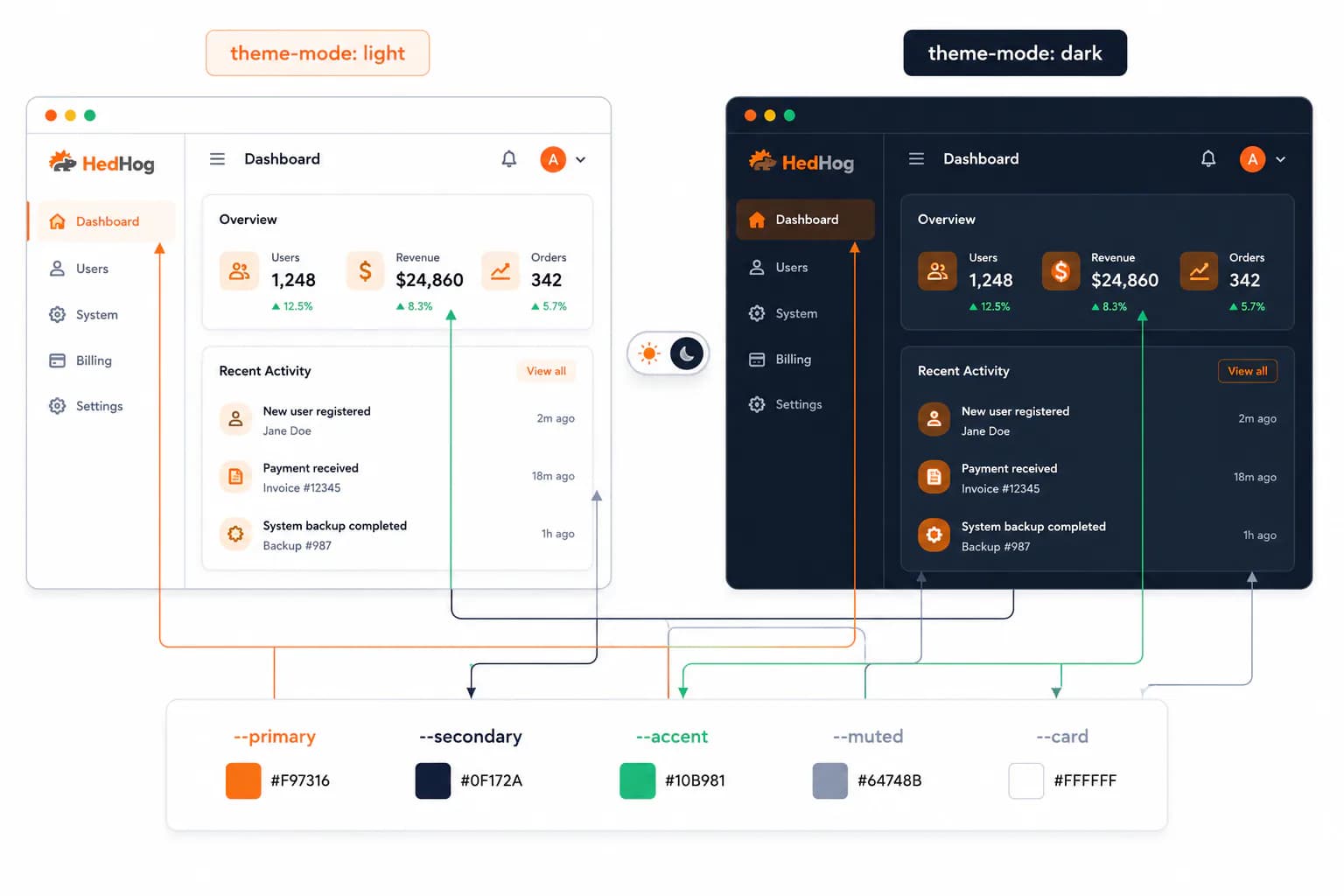
| Theming | Brand colors (light/dark, set independently), logo, favicon, and typography — falls back to Tailwind defaults until you set them |
Where Each Setting Lives
| Preference | Settings → Configurations group | Notes |
|---|---|---|
| Queue Providers | Queue | |
| Multi-Factor Auth | Authentication | Not a separate "MFA" group |
| Theming | Appearance | Not a group literally named "Theme" |